

(See Also: Scan Tutorial, RTL Language, Custom Indicators, BackTesting, Signal Makers)
A Scan object is a specification for searching through all of the instruments in a particular quotepage to identify those whose current or historical market data exhibit user-defined characteristics. The result of a scan is a quotepage that lists the instruments that "passed" the scan request.
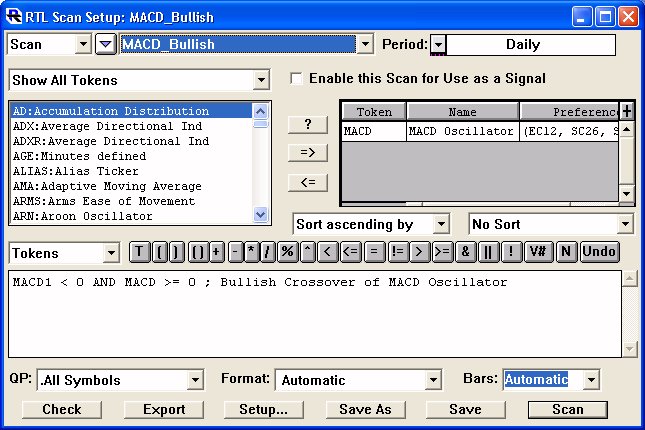
The scan criteria for each scan object are stated using the Investor/RT Real Time Language (RTL). RTL supports arithmetic, relational, and logical operations of arbitrary complexity. Using RTL, the user may test any logical expression involving market prices, fundamental data, historical prices, and the present or historical values of any technical indicator.
Scans may be performed on and periodicity, including daily, weekly, monthly, tick data, minute bars, range bars, volume bars, or any other user specified duration.
Since the result of running a scan is a quote page, the scan results may in turn be used to supply a list of instruments for sorting and display, for charting in a slide show, for data downloading, etc.
The scan object has an "Auto-Scan" feature which enables any scan to be "scheduled" to run repeatedly throughout the trading session at a user-specified interval.